Skip to content

We’ve refreshed our look! New logo and colours — same company, same service.


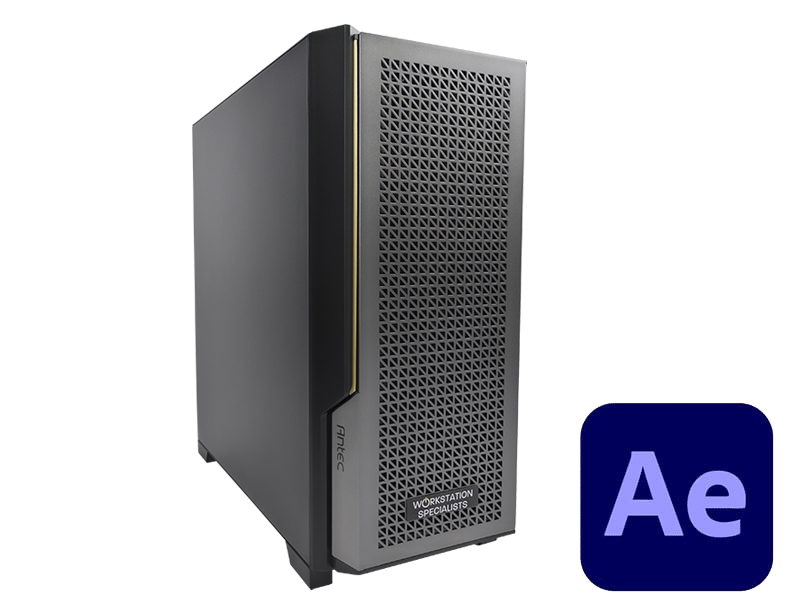
Recommended Computer Workstation For Adobe After Effects

Published: 16/04/2026

After Effects Workstation – Recommended Specs & Overview

CPU: AMD Ryzen Threadripper for Multi-Frame Rendering; Intel Core/AMD Ryzen for budget builds
RAM: 64GB for 1080p, 128GB for 4K, 256GB+ for 8K+ projects
GPU: NVIDIA GeForce RTX with 10GB+ VRAM; professional RTX cards usually not cost-effective
Storage: NVMe SSD for OS/apps, separate NVMe SSD for cache/scratch, SSD/HDD for active/archive projects

Tip: Prioritise CPU cores for rendering, enough RAM for project complexity, and GPU VRAM for effects.

Understanding What After Effects Demands

Adobe After Effects sits at the heart of professional motion graphics, visual effects, and post-production pipelines. Whether you are compositing multi-layer VFX sequences, producing broadcast animations, or working through complex 3D scenes, the application places significant and varied demands on your hardware. Unlike many professional tools that lean heavily on a single component, After Effects draws on your CPU, GPU, RAM, and storage simultaneously — meaning that a weakness in any one area will create bottlenecks across the entire workflow.

The key to specifying an effective After Effects workstation is understanding not just the hardware itself, but how After Effects uses it.

The application has evolved considerably over recent years, with major changes to its rendering architecture reshaping what components matter most.

Getting this right from the outset avoids the frustration of investing in hardware that doesn’t address your actual performance constraints.


CPU: The Core of Your Rendering Performance

The processor remains the most critical component in an After Effects workstation. The introduction of Multi-Frame Rendering (MFR) fundamentally changed how the application uses CPU resources, enabling After Effects to process multiple frames simultaneously across all available cores.

In practical terms, this means higher core counts translate directly into faster render times and quicker Preview playback — particularly for complex compositions with heavy effects stacks or layered 3D elements.

For most professional workloads, AMD Ryzenâ„¢ Threadripperâ„¢ PRO processors represent the strongest choice.

Their high core counts maximise MFR efficiency, the platform supports large RAM capacities, and their multi-GPU capability makes them well suited to studios running demanding creative pipelines. For freelance artists or smaller studios where budget is a consideration, AMD Ryzen™ 9 series processors offer excellent performance at a lower price point without meaningful compromise for the majority of After Effects workflows. Intel® Core™ Ultra and Xeon® W series CPUs remain reliable alternatives, particularly where strong single-core clock speed is a priority for applications used alongside After Effects.

One important nuance: MFR does exhibit diminishing returns at very high core counts. Testing has consistently shown that 24-core Threadripper configurations can match or outperform 32- and 64-core variants within After Effects specifically.

This means the highest-specification processors are not always the most cost-effective choice for this application alone — and where the workstation is dedicated primarily to After Effects, a more targeted specification will often deliver better value.


GPU: Accelerating 3D and GPU-Powered Effects

The role of the GPU in After Effects has grown considerably as its rendering engines have evolved, though its importance varies significantly depending on workflow type.

For 2D and 2.5D compositions — the typical territory of motion graphics, title sequences, and compositing work — the GPU plays a supporting role, contributing to GPU-accelerated effects and assisting MFR performance.

In these scenarios, VRAM capacity tends to matter more than raw GPU performance, as it determines how many MFR threads can operate concurrently without contention.

For 3D workflows using the Advanced 3D Renderer, the GPU becomes a central component. This renderer leverages CUDA and hardware ray-tracing acceleration to handle interactive 3D environments, materials, lighting, and real-time playback — making a capable NVIDIA GPU essential for smooth performance in these projects.

Recommended GPUs for After Effects workstations:

AMD GPU support within After Effects has improved over recent releases, though NVIDIA continues to hold a clear advantage in stability and compatibility across the wider Adobe ecosystem. For workstations dedicated primarily to After Effects, NVIDIA GeForce RTX cards deliver the most reliable performance per pound.


RAM: Giving After Effects Room to Work

Memory has historically been one of the most significant constraints in After Effects, and it remains a critical consideration today.

The application caches rendered frames into RAM for Preview playback, and complex compositions — particularly those combining high-resolution footage, detailed textures, and multiple open applications — can exhaust available memory quickly.

Recent versions of After Effects have introduced High-Performance Preview Playback (HPPP), which stores rendered frames to disk cache and streams them to RAM rather than holding everything in memory simultaneously.

This reduces total memory pressure during playback and eases the configuration requirements slightly.

Even so, generous RAM allocation remains important for overall workflow stability and for ensuring smooth performance when working across multiple applications.

As a practical guide:

  • 64 GB – A workable minimum for 1080p projects and straightforward compositing work.
  • 128 GB – Recommended for 4K workflows, complex multi-layer compositions, or workstations running several applications simultaneously.
  • 256 GB or more – Appropriate for 8K projects, extremely large scene assemblies, or studios running After Effects alongside demanding tools such as Nuke, Cinema 4D, or Houdini.

Investing adequately in RAM reduces the need to split projects into smaller segments and eliminates the performance penalties that arise when After Effects is forced to flush and reload its cache during demanding renders.


Storage: A Multi-Drive Strategy

Storage configuration for After Effects rewards a more considered approach than most professional applications. After Effects benefits significantly from separating the operating system, disk cache, and active project data across dedicated drives.

This arrangement allows simultaneous read and write operations to proceed without competing for the same drive’s bandwidth — which directly improves render performance and overall workflow responsiveness.

The disk cache in particular benefits from isolation.

When After Effects is actively rendering and caching frames at the same time as reading source footage, a shared drive creates a bottleneck that slows both operations. Keeping the cache on a dedicated NVMe drive removes this constraint entirely.

A well-configured After Effects workstation typically uses three distinct storage volumes:

  • Primary NVMe SSD (1 TB+) – For the operating system, Adobe Creative Cloud applications, and software installations.
  • Dedicated Cache NVMe SSD (2–4 TB) – Assigned exclusively as the After Effects disk cache and scratch disk. Keeping this separate from the project drive ensures caching activity never competes with active footage reads.
  • Project Drive – SATA SSD or NVMe SSD (2–8 TB) – For active project files, source footage, and working assets. A SATA SSD provides a cost-effective solution for most workflows; NVMe is preferred for studios working with high-resolution or high-file-count projects.

For completed project archiving, a high-capacity HDD or network-attached storage (NAS) solution offers a practical and affordable option, accepting that access speeds will be slower than SSD-based volumes.


Workflow Considerations: 2D, 2.5D, and 3D

The hardware requirements for an After Effects workstation are not uniform — they depend significantly on the type of work being produced.

Understanding where your workflow sits within the 2D, 2.5D, and 3D spectrum helps to prioritise component selection and avoid over- or under-specifying the system.

2D and 2.5D workflows, which typically involve assets from Adobe Illustrator and Photoshop animated using the Classic 3D Renderer, are primarily CPU and RAM-dependent. MFR is the dominant performance driver here, and a high-core-count processor paired with ample RAM will yield the greatest improvements. The GPU plays a secondary but still meaningful role, with adequate VRAM important for efficient MFR operation.

3D workflows, particularly those using the Advanced 3D Renderer with assets from Cinema 4D, Blender, or Adobe Substance, shift the balance towards GPU performance. The Advanced 3D Renderer leverages CUDA acceleration, meaning NVIDIA GPU capability and VRAM capacity become directly relevant to render speed and interactive playback quality. Studios working primarily in 3D should prioritise a higher-specification GPU alongside their CPU investment.

Many professionals run both rendering modes within the same project — using GPU rendering for real-time previews and interactive work, whilst falling back to CPU rendering for background or batch tasks. This configuration places balanced demands on both components and reflects how After Effects is used in demanding production environments.


Recommended Workstation Configurations

The right specification depends on your workflow type, project complexity, and the applications running alongside After Effects.

The following table provides a practical reference for common professional use cases.

Use Case CPU GPU RAM Cache Drive
1080p / standard compositing AMD Ryzenâ„¢ 9 or Intel Coreâ„¢ Ultra RTX 5070 Ti 64 GB 2 TB NVMe
4K professional workflows AMD Threadripperâ„¢ PRO RTX 5070 Ti / 5080 128 GB 4 TB NVMe
8K / complex 3D / multi-app AMD Threadripperâ„¢ PRO RTX 5080 / 5090 256 GB+ 4 TB NVMe

For studios working across a broader creative pipeline — integrating tools such as Premiere Pro, DaVinci Resolve, Blender, or Unreal Engine — a workstation configured around After Effects will typically serve those applications well, provided the GPU and RAM have been specified with cross-application workloads in mind from the outset.


Final Thoughts

A well-configured After Effects workstation is not simply about selecting the most powerful individual components — it is about ensuring that the CPU, GPU, RAM, and storage work together effectively for your specific workflow.

A dedicated multi-drive storage strategy, appropriate memory allocation, a capable NVIDIA GPU, and a high-core-count processor configured for Multi-Frame Rendering will deliver measurable improvements in render times, preview playback quality, and overall stability.

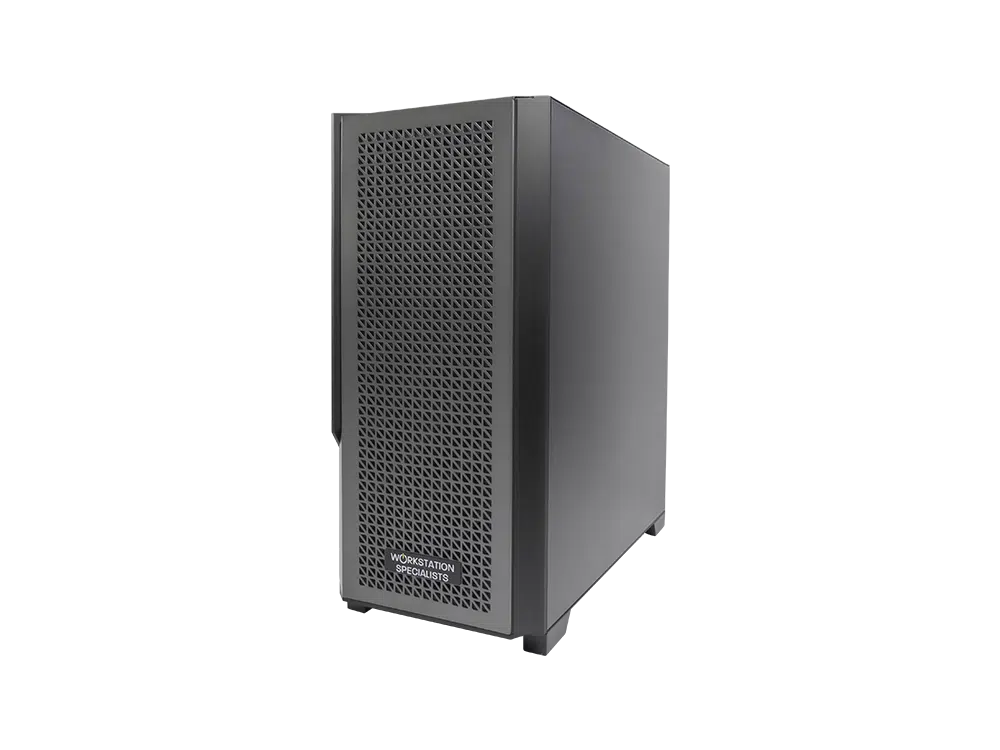
Every workstation built by Workstation Specialists is individually configured and tested for the professional applications it is intended to run.

If you are unsure which specification best matches your workflow, our technical team is available to advise on the most effective configuration for your requirements.

Request Consultation
Posted on Trustindex Trustindex
Alli fossati profile picture
Alli fossati
TrustindexTrustindexTrustindexTrustindexTrustindexTrustindex verifies that the original source of the review is Trustindex.
Always Deliver with Excellent Service I have used Workstation Specialists multiple times over the past few years for high spec kit for a VFX company and every time they have been excellent. Recently I needed a rushed build for a very tight deadline, over Christmas time and they not only made it happen but had great communication along the way. Simon called me personally to keep me updated on the build and delivery. I will continue to go back to them time and time again because they will always deliver.
Posted on Google Google
Konrad Stanco profile picture
Konrad Stanco
GoogleGoogleGoogleGoogleGoogleTrustindex verifies that the original source of the review is Google.
Excellent communication and cooperation. I am very satisfied with the purchase and would highly recommend it.
Posted on Google Google
Adam profile picture
Adam
GoogleGoogleGoogleGoogleGoogleTrustindex verifies that the original source of the review is Google.
Truly fantastic ongoing customer support. Although my machine is years out of warranty the Team at Workstation Specialists helped me work through an issue I was having. Highly recommended.
Posted on Google Google
William Sutherland profile picture
William Sutherland
GoogleGoogleGoogleGoogleGoogleTrustindex verifies that the original source of the review is Google.
Top people, top manufacturer, top support - been buying my PCs from them for years
Posted on Google Google
D B profile picture
D B
GoogleGoogleGoogleGoogleGoogleTrustindex verifies that the original source of the review is Google.
Excellent service: help configuring a new workstation, installing and testing 3rd party sound and graphics cards for me as part of the build process, fast turnaround, and good comprehensive answers to all my queries both before and after sales - highly recommended.
Posted on Google Google
Joe Bloggs profile picture
Joe Bloggs
GoogleGoogleGoogleGoogleGoogleTrustindex verifies that the original source of the review is Google.
I'm very pleased with the service from Workstation Specialists. The team have been punctual, helpful and professional when ordering a workstation that suits my specific needs. They also recently upgraded my graphics card and hard drive which has been excellent. I hope the company continues to do well and I look forward to using their services in the future.
Posted on Google Google
Gregos Jez profile picture
Gregos Jez
GoogleGoogleGoogleGoogleGoogleTrustindex verifies that the original source of the review is Google.
Hi, I've been a customer of your company for several years now, and as always, your work is excellent. I've been using your new machine for the past few weeks without any issues, and I believe it will continue that way. Thank you for the fantastic product. Best regards to all the employees, and I wish you continued success in the future. Gregos...
Posted on Google Google
Robert Graves profile picture
Robert Graves
GoogleGoogleGoogleGoogleGoogleTrustindex verifies that the original source of the review is Google.
I've been using Workstation Specialists for many years. Their bespoke machines are the best you will find and they bend over backwards to be helpful. At every stage of dealing with them you feel you are dealing with a top quality product and organisation. I can't recommend them enough.
Posted on Google Google
Syed Mughees profile picture
Syed Mughees
GoogleGoogleGoogleGoogleGoogleTrustindex verifies that the original source of the review is Google.
Posted on Google Google
SCD Enterprise profile picture
SCD Enterprise
GoogleGoogleGoogleGoogleGoogleTrustindex verifies that the original source of the review is Google.
Posted on Google Google
Ben Thomas profile picture
Ben Thomas
GoogleGoogleGoogleGoogleGoogleTrustindex verifies that the original source of the review is Google.
Posted on Google Google
michele sganga profile picture
michele sganga
GoogleGoogleGoogleGoogleGoogleTrustindex verifies that the original source of the review is Google.
Workstation Specialist are not just the best in their field but one of the most reliable Company overall because they are passionate, extremely serious and their products are sensational. In additional, as a designer, I have to say their workstations look also really beautiful and they express a touch of style in any workspace. I got in the past Dell workstations but this one is another level. I cannot wait to build my new Portable workstation with them!
Posted on Google Google
Charlie Stanford profile picture
Charlie Stanford
GoogleGoogleGoogleGoogleGoogleTrustindex verifies that the original source of the review is Google.
Great workstation, very pleased with the whole experience from order to delivery.
Posted on Google Google
Chris profile picture
Chris
GoogleGoogleGoogleGoogleGoogleTrustindex verifies that the original source of the review is Google.
Very helpful, and gave a lot of advice. Has a "family run" feel to the business, which knocked my confidence a bit but others may prefer this. Went out of their way to snag a 5090 for me - but price well above MSRP. That's to be expected I guess!
Posted on Google Google
Ben Martin profile picture
Ben Martin
GoogleGoogleGoogleGoogleGoogleTrustindex verifies that the original source of the review is Google.
Great service and value yet again, my third workstation from the specialists !
Posted on Google Google
Kyriakos Pishoftas profile picture
Kyriakos Pishoftas
GoogleGoogleGoogleGoogleGoogleTrustindex verifies that the original source of the review is Google.
Excellent, robust systems with support even after warranty expiration.
Posted on Google Google
Phil Cook profile picture
Phil Cook
GoogleGoogleGoogleGoogleGoogleTrustindex verifies that the original source of the review is Google.
Always helpful, answering pre sales, sales, and post sales support questions promptly.
Posted on Google Google
David Smith profile picture
David Smith
GoogleGoogleGoogleGoogleGoogleTrustindex verifies that the original source of the review is Google.
Consistently good support from the team there, would recommend
Posted on Google Google
Gary Meredith profile picture
Gary Meredith
GoogleGoogleGoogleGoogleGoogleTrustindex verifies that the original source of the review is Google.
Amazing service, super helpful, great advice and guidance and friendly and prompt after-sales support. HIGHLY RECOMMEND!
Posted on Google Google
Useyourbrain. profile picture
Useyourbrain.
GoogleGoogleGoogleGoogleGoogleTrustindex verifies that the original source of the review is Google.
Superb service, communication, system build quality and speed as always. Highly recommended.
Posted on Google Google
Neil Scholes profile picture
Neil Scholes
GoogleGoogleGoogleGoogleGoogleTrustindex verifies that the original source of the review is Google.
Great help and advice, top notch expertise and cared for build and delivery - they do a good job.
Posted on Google Google
Angus Thomson profile picture
Angus Thomson
GoogleGoogleGoogleGoogleGoogleTrustindex verifies that the original source of the review is Google.
Posted on Google Google
Dinos IO profile picture
Dinos IO
GoogleGoogleGoogleGoogleGoogleTrustindex verifies that the original source of the review is Google.
Posted on Google Google
Gordon Barclay profile picture
Gordon Barclay
GoogleGoogleGoogleGoogleGoogleTrustindex verifies that the original source of the review is Google.
I've bought two portable workstations from WS Specialists over the years, and got upgrades from them too. They couldn't be more helpful. Very professional.
Posted on Google Google
Dan Badaluta profile picture
Dan Badaluta
GoogleGoogleGoogleGoogleGoogleTrustindex verifies that the original source of the review is Google.
Posted on Google Google
Sam Barham profile picture
Sam Barham
GoogleGoogleGoogleGoogleGoogleTrustindex verifies that the original source of the review is Google.
Fantastic experience with the WS Support team. Laptop was overheating but fortunately still under warranty with WS. After running a few diagnostics, WS highlighted that it was a motherboard issue, and they shipped it off to MSI UK who managed to work their magic. Laptop now back and running better than ever. Particular thanks to Carl from WS Support whose communication was excellent throughout the whole process. Highly recommend this business and their commendable customer service!
Posted on Google Google
Paul Kendrick profile picture
Paul Kendrick
GoogleGoogleGoogleGoogleGoogleTrustindex verifies that the original source of the review is Google.
Extremely helpful staff, good communication and reliable service. Will definatly be using them again in the future.
Posted on Google Google
Josh Lambert profile picture
Josh Lambert
GoogleGoogleGoogleGoogleGoogleTrustindex verifies that the original source of the review is Google.
Posted on Google Google
Prabhakshavel Venkata profile picture
Prabhakshavel Venkata
GoogleGoogleGoogleGoogleGoogleTrustindex verifies that the original source of the review is Google.
Great, fast, reliable service. Very satisfied with my build. Josh was a lifesaver, extremely professional.
Posted on Google Google
Lee S profile picture
Lee S
GoogleGoogleGoogleGoogleGoogleTrustindex verifies that the original source of the review is Google.
Fantastic company. Great products and incredibly helpful staff that go above and beyond. Will continue to recommend to friends and colleagues
Posted on Google Google
Frank McNamee profile picture
Frank McNamee
GoogleGoogleGoogleGoogleGoogleTrustindex verifies that the original source of the review is Google.
Posted on Google Google
Nick Hill profile picture
Nick Hill
GoogleGoogleGoogleGoogleGoogleTrustindex verifies that the original source of the review is Google.
We're a small animation & video studio and have just taken delivery of our 6th WKS machine. We used to use Dells, but I'd never go back: the Workstation Specialist ones are really well-built, stonkingly high-performance, and if there's ever a problem with them (which is rare) the guys at WKS have always bent over backwards to help fix it (and you're not talking to a call centre either - another plus).
Verified by Trustindex
Trustindex verified badge is the Universal Symbol of Trust. Only the greatest companies can get the verified badge who has a review score above 4.5, based on customer reviews over the past 12 months. Read more

Why Choose Workstation Specialists

Save Time

Our high-performance, custom-built workstations are designed to accelerate your workflows — helping you complete tasks, renders, and simulations faster. The speed of our custom built workstations will save you a HUGE amount of time on any task at hand.

Save Money

Get the right system from the start and avoid costly trial and error. Our expertly optimised builds deliver long-term value through efficiency and reliability. Save time, which always saves money!

Dedicated Expertise

Every customer is supported by a dedicated account manager who understands your business, workflow, and technical needs. Tom and Phil have over 30 years combined experience within the industry so expect nothing less than expert knowledge.

Reliable Support

Enjoy peace of mind with our UK-based support team, providing ongoing, dependable assistance to keep your systems running at peak performance, same day issues fixed with ease. We don’t just build workstations — we build long-term relationships focused on helping you achieve more and make more profit within your business.

Promotion Terms & Conditions

  1. Not available in conjunction with any other offers, including but not limited to, promotional / clearance items and other coupon codes.
  2. Coupon only redeemable on quotable Workstation, Mobile Workstation and Servers listed on the Workstation Specialists website.
  3. Offer can be removed at any time but will stay applied to any valid quotation that has already had the promotion applied.
  4. The coupon cannot be applied to shipping fees or any other additional charges unless specifically stated.
  5. Only one coupon can be applied to each transaction.
  6. The discount code cannot be retrospectively applied to any order. It can only be used for future quotations.
  7. The coupon can be applied to multiple quotations/orders.
Our website uses cookies to give you the best experience possible. By continuing to use our site, you agree with our use of cookies outlined in our Privacy Policy
Loading product data...
Basket