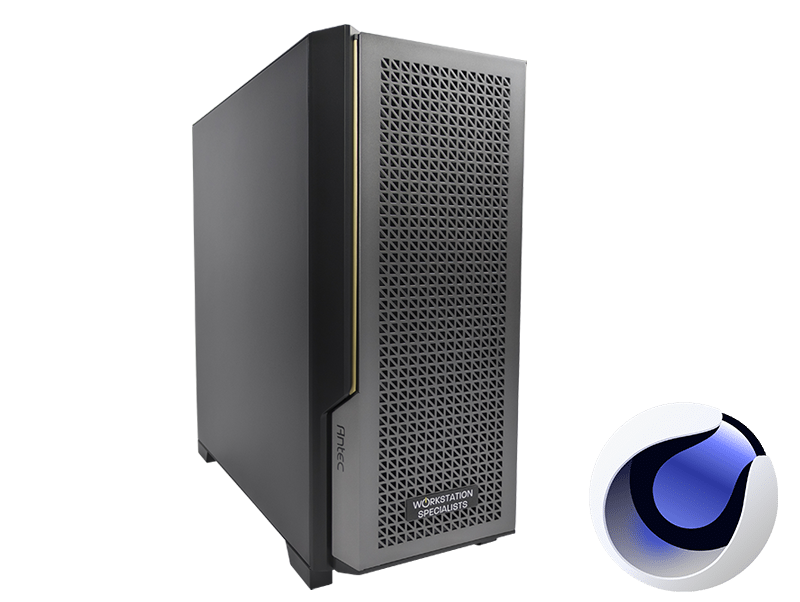
Cinema 4D Workstation – Recommended Specs & Overview
Cinema 4D is one of the most widely used 3D applications in the industry, trusted by motion designers, VFX artists, architectural visualisers, and broadcast professionals alike. MAXON’s flagship software places significant demands on the hardware it runs on — and the right workstation configuration can make a substantial difference to your productivity, render times, and day-to-day experience working with complex scenes.
This guide covers the key hardware components for a Cinema 4D workstation, explaining how each one is used by the software and what specifications to prioritise depending on your workflow.
Why Hardware Matters for Cinema 4D
Cinema 4D is not a single-threaded application with one clear bottleneck — it distributes its demands across CPU, GPU, memory, and storage depending on the task. Viewport navigation and real-time previews rely heavily on GPU performance, while physically based rendering with engines such as Redshift (now the default renderer in C4D) is GPU-accelerated. CPU rendering via Arnold, V-Ray, or Cinema 4D’s native renderer benefits from high core counts, and simulation workloads draw on both CPU and RAM.
Building a workstation that performs well across all of these tasks requires a balanced approach. Bottlenecks in any single area — insufficient VRAM, slow storage, or inadequate RAM — can undermine the performance of an otherwise capable system.
CPU: Single-Core Speed vs. Multi-Core Throughput
The processor plays a dual role in Cinema 4D. Interactive tasks — including modelling, rigging, deformers, generators, and cloners — are predominantly single-threaded, meaning they rely on a CPU’s per-core clock speed rather than raw core count. For these workflows, a processor with high base and boost frequencies will feel noticeably more responsive, particularly in complex scenes with many objects or nested MoGraph structures.
Rendering is where multi-core performance takes over. CPU-based rendering scales efficiently across cores — doubling the core count typically comes close to halving render times for compatible engines. For studios or freelancers who use Cinema 4D’s native renderer or CPU-mode rendering in Redshift, Arnold, or V-Ray, a high-core-count processor provides a significant advantage.
Recommended CPU options for Cinema 4D workstations:
- AMD Ryzen 9 9900X / 9950X: High clock speeds with strong multi-core performance. Excellent all-round choice for motion design and animation workflows where both interactivity and rendering matter.
- AMD Threadripper PRO 9000 series: Designed for professional rendering workloads with up to 96 cores, large memory capacity, and high PCIe lane counts. Best suited to dedicated rendering systems or production environments with heavy CPU-based render workloads.
- Intel Core Ultra series: Competitive single-core performance, making them a strong option for artists whose workflow is predominantly interactive with occasional rendering tasks.
For most Cinema 4D users, a processor balancing strong single-core performance with a reasonable core count — such as the Ryzen 9 series — will serve the broadest range of tasks effectively.
GPU: The Engine Behind Modern Rendering
With Redshift now the default rendering engine in Cinema 4D, the GPU has become the most critical component for rendering performance. Redshift is a GPU-accelerated, biased path tracer that leverages NVIDIA’s CUDA and OptiX frameworks. It scales well across multiple GPUs and benefits substantially from higher VRAM capacity when handling large scenes with detailed textures and complex lighting setups.
NVIDIA hardware currently dominates for GPU rendering in Cinema 4D. RTX-generation cards bring dedicated ray-tracing cores (RT cores) and tensor cores that accelerate Redshift’s denoising capabilities, making them the natural choice for professional workflows. AMD GPUs are supported by Redshift on Windows, but NVIDIA cards generally offer superior rendering throughput at equivalent price points.
The viewport also benefits from a capable GPU. Smooth real-time previews, particularly in Redshift’s interactive render view or with OpenGL-based shading, require a card with sufficient shader throughput and VRAM to hold the scene in GPU memory.
Recommended GPU options for Cinema 4D:
- NVIDIA GeForce RTX 5080 / 5090: The highest-performance options for GPU rendering. The RTX 5090 offers 32 GB of GDDR7 VRAM and the fastest rendering throughput available for consumer hardware.
- NVIDIA GeForce RTX 5070 Ti / 5070: Strong mid-range options offering excellent Redshift performance at a more accessible price point.
- NVIDIA RTX PRO series (formerly Quadro): Professional-grade cards designed for sustained workloads. Preferred for studios running multiple applications or requiring certified driver stability.
For multi-GPU rendering setups, professional RTX cards with blower-style cooling are preferable, as they exhaust heat from the chassis rather than recirculating it — important when multiple cards are installed in the same system.
RAM: Supporting Complex Scenes and Multitasking
System memory in Cinema 4D is used to hold scene geometry, textures, simulation caches, and application state. When GPU VRAM is insufficient, Redshift may also draw on system RAM, making it an important fallback for large scenes. Cinema 4D itself is not particularly memory-hungry compared to simulation-heavy applications, but the wider production context — running multiple applications simultaneously, caching Pyro or cloth simulations, or working with high-polygon scenes — can increase RAM demands considerably.
Recommended RAM configurations:
- 32 GB: Suitable for entry-level and intermediate workflows with moderate scene complexity.
- 64 GB: Recommended for most professional use cases, including high-res texturing, complex MoGraph setups, and multitasking across production tools.
- 128 GB+: Appropriate for simulation-heavy pipelines, large VDB or Pyro caches, and workflows that demand headroom for future scene complexity.
DDR5 RAM is recommended for newer AMD and Intel platforms, offering improved bandwidth over DDR4. ECC (error-correcting) memory is available on Threadripper PRO and Xeon platforms and is worth considering for production environments where data integrity is a priority.
Storage: Speed Where It Matters
Storage performance directly affects how quickly Cinema 4D loads project files, caches simulations, and accesses texture libraries. NVMe solid-state drives are now the standard for primary workstation storage and offer read speeds several times faster than SATA SSDs, making them well-suited to the OS, application installation, and active project files. For large texture libraries or simulation caches, a secondary NVMe or SATA SSD provides a practical balance between speed and capacity.
| Drive Type |
Recommended Use |
Notes |
| NVMe SSD (Gen 4/5) |
OS, applications, active projects |
Fastest read/write; ideal primary drive |
| SATA SSD |
Secondary project storage, texture libraries |
Cost-effective with solid performance |
| HDD |
Archived projects and assets |
High capacity; not suited to active use |
| NAS |
Shared studio storage |
Requires 10 GbE network connection for best performance |
A practical starting configuration is a 1 TB or 2 TB NVMe SSD for the OS and active projects, supplemented by a larger secondary drive for assets and caches. Studios working collaboratively across multiple workstations should consider network-attached storage (NAS) with a 10 GbE connection for shared access to project assets.
Platform, Motherboard, and Power Considerations
The motherboard and platform choice determines the ceiling for memory capacity, PCIe bandwidth, and expansion options. For most Cinema 4D workstations, a consumer-grade AMD AM5 or Intel LGA1851 platform provides sufficient PCIe lanes for a single high-performance GPU and fast NVMe storage. For multi-GPU configurations or workflows that require additional PCIe devices, Threadripper PRO platforms offer significantly more connectivity and memory bandwidth.
Power supply capacity is often underestimated when specifying workstations with high-end GPUs. A single NVIDIA RTX 5090 can draw up to 575 W under sustained load, and the CPU will add further demand on top of this. A quality 1000–1200 W PSU is recommended for systems pairing a high-end GPU with a power-hungry processor, with additional headroom for dual-GPU builds.
Cooling should be matched to the thermal profile of the CPU. High-core-count processors running sustained rendering workloads generate substantial heat, and adequate cooling — whether high-performance air cooling or liquid cooling — is important to maintain stable boost clocks under load. Workstation chassis should also provide sufficient airflow to support the GPU, particularly in multi-GPU configurations.
Recommended Workstation Specifications Summary
The table below summarises recommended specifications for different Cinema 4D use cases.
| Component |
Entry–Intermediate |
Professional |
High-End / Studio |
| CPU |
AMD Ryzen 9 9900X |
AMD Ryzen 9 9950X / Intel Core Ultra 9 |
AMD Threadripper PRO 9965WX or above |
| GPU |
NVIDIA RTX 5070 |
NVIDIA RTX 5080 |
NVIDIA RTX 5090 (single or multi-GPU) |
| RAM |
32 GB DDR5 |
64 GB DDR5 |
128 GB+ DDR5 / ECC |
| Primary Storage |
1 TB NVMe SSD |
2 TB NVMe SSD |
2 TB+ NVMe SSD (Gen 5) |
| Secondary Storage |
2 TB HDD |
2–4 TB SATA SSD |
NAS + local SSD cache |
| PSU |
750 W |
850–1000 W |
1200 W+ |
Conclusion
A well-specified Cinema 4D workstation balances strong single-core CPU performance for interactive work with GPU rendering capability for production output. As Redshift continues to mature as C4D’s default rendering engine, GPU performance and VRAM capacity have become increasingly central to the specification decision — particularly for artists working with complex scenes, high-resolution textures, or physically based lighting.
The right configuration will depend on how you use the software. Motion designers who spend most of their time in the viewport may prioritise clock speed and a capable mid-range GPU, whilst VFX artists and production studios rendering detailed environments will benefit from a higher VRAM GPU, ample system RAM, and fast NVMe storage throughout.
Every workstation built by Workstation Specialists is individually configured and tested by experienced engineers, ensuring the hardware is optimised for your specific workflows. If you have questions about specifying a Cinema 4D workstation, our team is available to advise — without the call centres or automated responses.