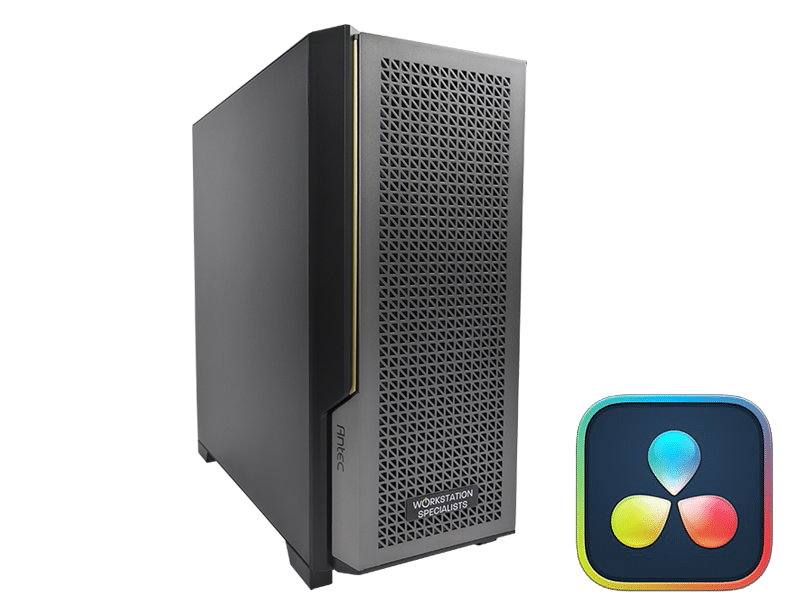
Recommended Specifications & Configuration Guide
DaVinci Resolve is one of the most demanding professional applications in post-production. Used by colourists, editors, and VFX artists worldwide, it combines high-resolution video editing, primary and secondary colour grading, audio mixing, and advanced visual effects within a single unified environment. Meeting the full demands of this software requires a workstation that has been carefully specced and configured – not merely a capable general-purpose PC.
This guide covers the key hardware components to consider when building or specifying a DaVinci Resolve workstation, with practical recommendations based on real-world professional workflows.
CPU: Choosing the Right Processor
The processor remains central to overall system performance in DaVinci Resolve, even in an application that is heavily GPU-accelerated. CPU performance directly affects timeline responsiveness, Fusion compositing speed, background rendering, and how efficiently the system handles media decoding.
For most single-GPU configurations, high clock-speed processors with a core count in the range of 10 to 16 cores tend to offer the best balance between render performance and everyday responsiveness. AMD Ryzen 9 and Intel Core Ultra processors sit comfortably in this bracket. For studios deploying multi-GPU systems or working with RAW camera formats, AMD Threadripper PRO or Intel Xeon W CPUs provide significantly more PCIe lanes, larger memory capacities, and better support for capture cards and additional expansion.
Fusion workflows are a notable exception to the ‘more cores’ rule. Fusion’s compositing engine is more responsive to per-core clock speed than to total core count, meaning a processor with fewer, faster cores will often outperform a many-core workstation CPU in this specific area. Architects building systems intended for heavy Fusion use should weight single-thread performance accordingly.
One additional consideration is Intel Quick Sync. Intel’s Core processors include dedicated hardware for H.264, H.265 (HEVC) and AV1 encoding and decoding, which can meaningfully reduce decode overhead when working with compressed media. This advantage diminishes somewhat when paired with a modern NVIDIA RTX 50 Series GPU, which includes its own hardware decode engine, but remains relevant for cost-sensitive builds working with high-bitrate H.265 content.
GPU: The Performance Priority
More than any other component, the GPU defines the day-to-day performance of a DaVinci Resolve workstation. GPU acceleration underpins colour science calculations, noise reduction, OpenFX plug-ins, and real-time playback. Cutting corners on graphics hardware will produce bottlenecks that no amount of CPU performance can compensate for.
GPU Recommendations
NVIDIA GPUs currently provide the strongest combination of performance and driver reliability in DaVinci Resolve. The RTX 5090 represents the highest-performance single-card option available and benchmarks approximately on par with three previous-generation RTX 4090 cards. For most professional workflows, the RTX 5080 or RTX 5070 Ti offers an excellent performance-to-value balance. Professionals working with 8K or larger resolutions – where VRAM capacity becomes the limiting factor – should consider professional-grade NVIDIA RTX PRO cards, which are available with substantially higher memory configurations.
AMD Radeon Pro cards are supported but, in general, offer lower performance and less consistent driver behaviour within DaVinci Resolve. For studios with existing AMD deployments or specific procurement requirements, they remain a viable option, but NVIDIA is the recommended default.
VRAM: Matching Memory to Resolution
VRAM capacity is a hard limit – when it is exceeded, Resolve cannot cache frames in GPU memory and performance degrades accordingly. It is important to note that VRAM does not pool across multiple GPUs: each card in a multi-GPU system must independently hold a full copy of the data it processes. Sizing each card appropriately is therefore essential.
| Timeline Resolution |
Minimum VRAM |
Recommended VRAM |
| 1080p |
8 GB |
8–12 GB |
| 4K |
12 GB |
16–24 GB |
| 8K+ |
20 GB+ |
24 GB+ per card |
Multi-GPU Configurations
DaVinci Resolve Studio supports up to eight GPUs, though in practice the performance benefit typically levels off beyond three or four cards. Fusion compositing is a key caveat: several Fusion tasks have been shown to perform worse with multiple GPUs than with a single card, meaning studios with mixed editorial and compositing workflows should evaluate whether a multi-GPU setup is appropriate for their specific pipeline. The free edition of Resolve is limited to a single GPU regardless of how many are installed.
RAM: Sizing for Stability and Scalability
Resolve’s RAM requirements are tied closely to the resolution and complexity of the content being handled. At 1080p, the application itself is not especially memory-hungry, but this changes significantly at higher resolutions or when multiple tools are running simultaneously. The figures below represent sensible starting points; complex timelines with heavy effects stacking will push requirements upwards.
- 1080p workflows: 64 GB as a baseline, 32 GB minimum for straightforward projects
- 4K workflows: 96–128 GB for stable, uninterrupted performance
- 6K / 8K workflows: 128–192 GB; 256 GB recommended for heavily graded sequences
ECC (Error-Correcting Code) memory is worth considering for broadcast and archival environments where data integrity is critical. Threadripper PRO and Xeon W platforms both support ECC RAM natively.
Storage: Preventing the Hidden Bottleneck
Storage is frequently under-specified in video editing workstations, yet an insufficient drive configuration can negate the performance delivered by even the most powerful GPU. High-bitrate media imposes sustained read demands on the storage subsystem, and cache files generated during playback and rendering require fast, low-latency write access.
A three-tier storage layout is recommended for professional Resolve workflows:
- Primary NVMe SSD: For the operating system, applications, and any active project files. A 1 TB minimum is practical; 2 TB is preferable for studios working with large media sets.
- Dedicated cache/scratch NVMe: A separate NVMe volume exclusively for Resolve’s cache and optimised media. This prevents cache I/O from competing with media playback and keeps performance predictable under load.
- Bulk storage (SATA SSD or HDD): For completed projects, archive footage, and long-term asset storage. Traditional HDDs remain cost-effective for this purpose; SATA SSDs offer better performance for frequently accessed archives.
For multi-seat studios, a high-speed NAS or SAN providing shared access to media assets can simplify collaborative workflows. Effective use of network storage in post-production typically requires a 10 GbE network infrastructure as a minimum. Software-defined storage systems using all-flash drives can provide performance suitable for direct playback and editing from the network share.
One important practical point: working directly from an external USB drive is a common source of performance issues and instability. All project media should be copied to a local NVMe or fast SATA SSD before editing begins. External drives are well-suited to backup and transport, not to active production.
Displays and Monitoring
Colour accuracy is fundamental to any grading workflow, and the quality of the display chain directly affects the reliability of creative decisions. At minimum, a workstation intended for DaVinci Resolve should be paired with a colour-accurate, HDR-capable monitor supporting 10-bit colour depth. Factory calibration with a colour profile is preferable over a standard out-of-box display.
For broadcast, film, or commercial grading work where absolute colour accuracy is required, a dedicated hardware monitoring path is strongly advisable. Blackmagic Design DeckLink and UltraStudio capture and playback devices provide a hardware-controlled signal path from Resolve to an external reference monitor, bypassing any processing or colour management applied by the GPU driver or operating system. This is the recommended configuration for any environment where colour decisions have contractual or delivery consequences.
Connectivity and Expansion
A professional DaVinci Resolve workstation should be specced with sufficient connectivity to support both current requirements and near-term expansion. PCIe lane availability is a practical constraint when adding multiple GPUs alongside capture cards or high-speed storage controllers; Threadripper PRO and Xeon W platforms offer far more lanes than mainstream desktop CPUs and are the appropriate choice for complex multi-device configurations.
Thunderbolt connectivity is worth considering for studios using external audio interfaces, docking stations, or high-speed external storage. Intel’s mainstream Core platforms support Thunderbolt 4 natively, which is a meaningful convenience advantage over some AMD Ryzen configurations for those with existing Thunderbolt peripherals.
Recommended Specifications Summary
The following configurations represent practical starting points for different resolution tiers. Individual workflows may justify adjustments above or below these figures.
| Component |
4K Professional |
8K / High-End |
| CPU |
AMD Ryzen 9 / Intel Core Ultra (12–16 cores) |
AMD Threadripper PRO / Intel Xeon W |
| GPU |
NVIDIA RTX 5080 or 5090 |
NVIDIA RTX 5090 or RTX PRO (multi-GPU) |
| VRAM |
16–24 GB |
24 GB+ per card |
| RAM |
96–128 GB |
192–256 GB (ECC recommended) |
| Primary Storage |
2 TB NVMe SSD |
2 TB+ NVMe SSD |
| Cache Storage |
1 TB NVMe (dedicated) |
2 TB NVMe (dedicated) |
| Archive Storage |
4 TB+ HDD or SATA SSD |
8 TB+ HDD or NAS |
| Display |
10-bit, colour-accurate, HDR |
10-bit reference + DeckLink monitoring card |
| Networking |
1 GbE (single workstation) |
10 GbE (NAS / collaborative studio) |
Getting the Configuration Right
A DaVinci Resolve workstation is not a generic high-performance PC. It is a professional tool that rewards careful component selection, proper configuration, and testing under realistic production conditions. The GPU is the most critical single component and should be prioritised accordingly. Storage is frequently under-invested and disproportionately affects day-to-day usability. RAM should be sized for the resolution tier being worked at, with room to grow.
Every system we build at Workstation Specialists is individually assembled, configured, and tested by experienced engineers before delivery. We do not use generic imaging or mass-production processes. If you are unsure which specification is appropriate for your workflow, our team is available for direct technical consultation – not a call centre, but engineers who understand the software and workflows our systems are built for.