Skip to content

We’ve refreshed our look! New logo and colours — same company, same service.


Recommended Computer Workstation For Adobe Photoshop

Published: 06/05/2026

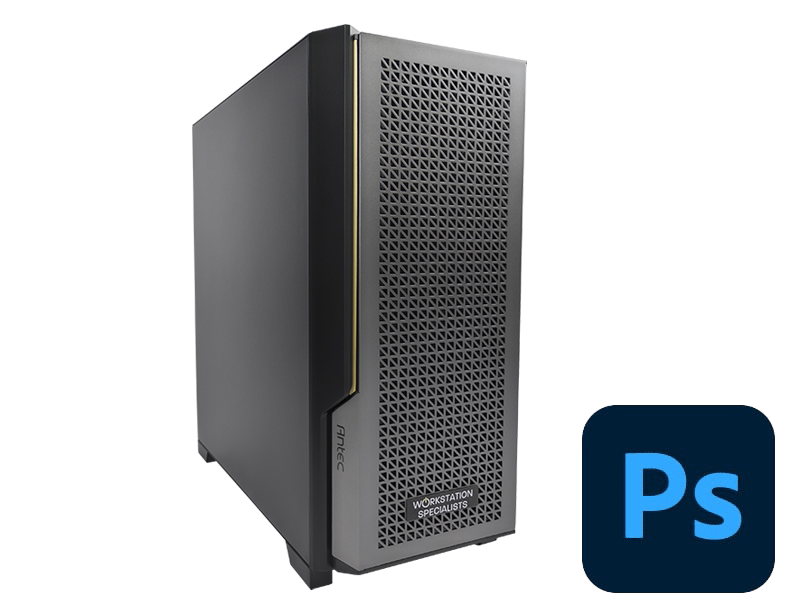
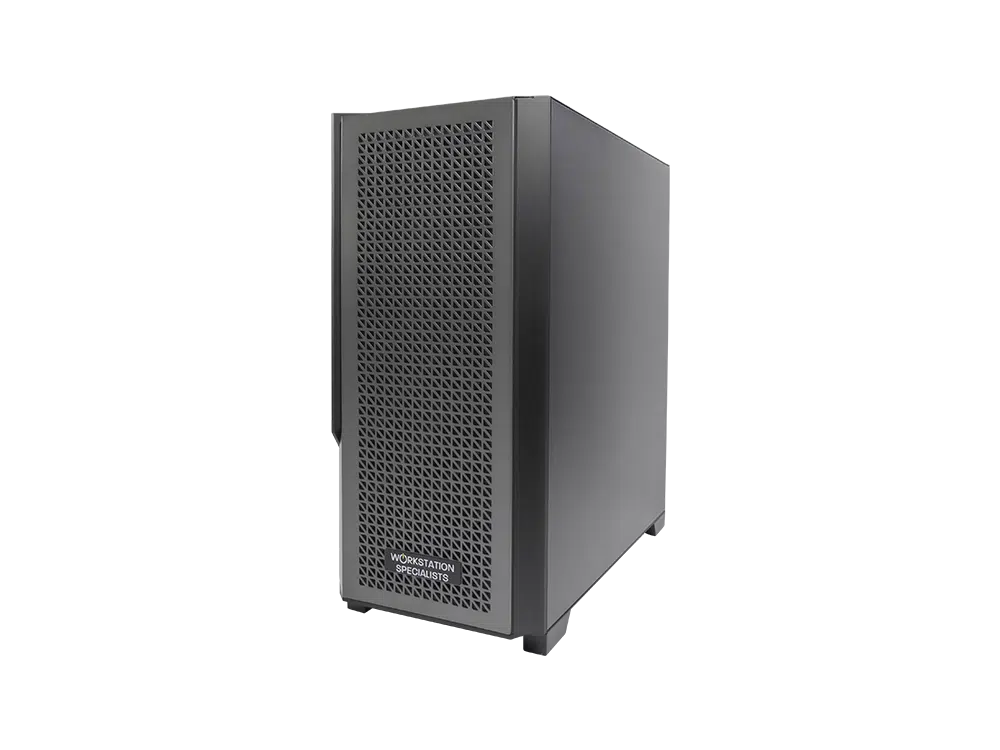
Adobe Photoshop Workstation – Recommended Specs & Overview

CPU: Intel Core Ultra 285K or AMD Ryzen 9 9950X – high GHz for filters, transformations, and multitasking
GPU: NVIDIA GeForce RTX 5070 / AMD Radeon RX 7000; RTX 4000 Blackwell for 3D-heavy workflows
RAM: 32–64GB DDR5 for smooth performance on large projects
Storage: 1TB NVMe SSD OS, 2TB SSD active projects, optional scratch disk + HDD archive
Display: 4K UHD, 99% AdobeRGB/DCI-P3 for colour accuracy
Cooling & PSU: High-quality air/liquid cooling, 750–1000W 80+ Gold/Platinum
Peripherals: Graphics tablet, ergonomic keyboard/mouse, external NVMe/Thunderbolt SSD

Adobe Photoshop Workstation – Recommended Specs & Overview

Adobe Photoshop remains the industry standard for image editing, compositing, and digital art across photography, graphic design, visual effects, and post-production. As the software has evolved to incorporate AI-powered tools, high-resolution document handling, and increasingly complex layer management, the demands placed on the underlying hardware have grown considerably. A well-specified workstation does not merely run Photoshop — it ensures the application performs consistently, reliably, and without becoming a bottleneck in a professional workflow.

This guide covers the key hardware components to consider when specifying a Photoshop workstation, with practical guidance on balancing performance, stability, and long-term value.

Understanding How Photoshop Uses Hardware

Photoshop’s architecture places its greatest demands on the CPU and system memory. The majority of tasks — applying filters, transforming layers, running scripts, and processing camera RAW files — are handled by the processor, not the graphics card. GPU acceleration has expanded in recent versions, but it remains a secondary consideration compared to CPU performance. Understanding this distinction is important when specifying hardware, as it is easy to over-invest in a graphics card while under-specifying the processor or RAM.

For most professional workflows, the priority order is CPU, followed by RAM, then storage speed, and finally GPU. Each component has a meaningful role, but getting the fundamentals right will deliver far greater returns than chasing headline GPU specifications.

Processor (CPU)

The CPU is the most important component in a Photoshop workstation. Photoshop is not particularly well-suited to high core counts — beyond approximately eight cores, the performance gains become marginal. What matters more is single-threaded performance and the efficiency of the processor’s architecture. High clock speeds, strong IPC (instructions per clock), and a capable memory controller all contribute more directly to a responsive Photoshop experience than a high core count alone.

Current-generation processors from both AMD and Intel offer excellent performance. AMD’s Ryzen 9000 series, particularly the Ryzen 7 9700X and 9800X3D, leads in Photoshop benchmarks at present, offering a strong combination of clock speed and architectural efficiency. Intel’s Core Ultra 200 series remains a competitive option and performs particularly well in mixed workflows that include Lightroom Classic or other creative applications. For professionals who run Photoshop and Lightroom simultaneously, either platform performs well, with the choice often coming down to broader workstation requirements.

High-core-count workstation processors such as the AMD Ryzen Threadripper,  AMD Ryzen Threadripper PRO or Intel Xeon W series are generally not necessary for Photoshop alone. They are better justified when the workstation also serves demanding parallel workloads such as 3D rendering, simulation, or video encoding.

Recommended processors for Photoshop:

Graphics Card (GPU)

GPU acceleration in Photoshop has grown steadily, but its role remains more limited than in applications such as 3D rendering or video editing. Photoshop uses the GPU primarily for canvas interactions — zooming, panning, and rotating — as well as a selection of GPU-accelerated filters including certain blur effects and liquify operations. For these tasks, the difference between a mid-range and a high-end GPU is minimal; any modern discrete graphics card with sufficient VRAM will deliver a fluid canvas experience.

NVIDIA GeForce RTX cards from the 30, 40, and 50 series are all well-supported and appropriate for professional Photoshop use. An RTX 5070 or equivalent provides effectively the same performance as higher-end options for the vast majority of Photoshop tasks, making it a sensible choice where budget is a consideration. Professional-grade cards such as the NVIDIA RTX Pro series offer additional VRAM on higher-end configurations and marginally improved driver stability, which may be relevant in environments running multiple creative applications concurrently or working with very large multi-layer documents.

It is worth noting that AI-powered features such as Adobe Firefly’s Generative Fill rely on Adobe’s cloud servers rather than local GPU processing. Local hardware does not accelerate these tools, which further reduces the dependency on a high-specification graphics card.

GPU recommendations for Photoshop:

  • NVIDIA GeForce RTX 5070 — strong performance for most professional workflows at a practical price point
  • NVIDIA GeForce RTX 5080 / 5090 — appropriate where Photoshop sits alongside GPU-intensive applications such as 3D or video
  • NVIDIA RTX Pro series — recommended for multi-application professional environments requiring additional VRAM or workstation-grade reliability
  • Minimum 8 GB VRAM for a single 4K display; 12 GB or more recommended for multi-display setups

Memory (RAM)

System memory has a direct and measurable impact on Photoshop performance, particularly when working with high-resolution images, multi-layer documents, or multiple applications running simultaneously. Photoshop allocates a significant portion of available RAM to its internal cache and history states. When available memory is insufficient, it falls back to the scratch disk, which introduces latency and can slow the application noticeably.

For most professional workflows, 64 GB of DDR5 RAM represents a well-balanced specification. This provides sufficient headroom for large documents, keeps Photoshop operating primarily from memory rather than scratch disk, and allows other applications — Lightroom, Illustrator, a browser, and system processes — to run alongside without contention. Users working with very large panoramic composites, ultra-high-resolution print documents, or complex multi-pass composites may benefit from 128 GB.

DDR5 is the current standard on modern platforms and offers improved bandwidth and power efficiency over DDR4. Where the platform supports it, DDR5 is recommended for new workstation builds.

Recommended RAM configurations:

  • 32 GB — adequate for straightforward professional work with moderate document sizes
  • 64 GB — recommended for most professional workflows, high-resolution imagery, and multi-application use
  • 128 GB — appropriate for very large composites, panoramic stitching, or heavily layered print documents

Storage

Storage configuration has a meaningful influence on how Photoshop feels to use day-to-day. Fast primary storage reduces application launch times, speeds up the loading of large files, and — critically — improves scratch disk performance when Photoshop requires additional headroom beyond available RAM.

An NVMe SSD as the primary drive is strongly recommended for any professional Photoshop workstation. Modern NVMe drives offer read and write speeds significantly beyond what SATA SSDs can achieve, resulting in noticeably faster file open and save operations when working with large layered documents. The operating system, Photoshop installation, and active project files should all reside on the NVMe drive where possible.

A secondary drive — either a SATA SSD or a high-capacity hard drive — serves well for completed project archives, asset libraries, and long-term storage. For studios with multiple workstations, network-attached storage with a solid-state drive array and a 10 GbE connection provides a practical shared storage solution that is fast enough for direct editing without requiring local copies of every file.

Drive Type Read/Write Speed Typical Use Relative Cost
NVMe SSD 3,000–14,800 MB/s OS, apps, active projects Medium–High
SATA SSD 500–550 MB/s Secondary project storage Low–Medium
HDD 100–200 MB/s Archives, long-term storage Low
NAS (SSD-based) Network dependent Shared studio storage Variable

Display Considerations

While the display is not a core workstation component in the traditional sense, colour accuracy is critical in professional Photoshop workflows. For photography, print design, and visual effects work, a monitor calibrated to a wide colour gamut is essential for accurate editing. Monitors covering 99% of the Adobe RGB or DCI-P3 colour space are recommended. A 4K UHD panel at 27 to 32 inches provides a practical working resolution that balances screen real estate with pixel density.

Serious colour-critical work benefits from hardware-calibrated displays such as those from the Eizo ColorEdge range or Dell UltraSharp PremierColor series. These monitors support 10-bit colour output — which NVIDIA GeForce cards have supported via the Studio driver since 2019 — allowing smoother gradients and more accurate colour representation throughout the editing process.

Cooling, Power, and System Stability

Professional workstations are expected to operate reliably under sustained load, and the cooling and power supply configuration plays an important role in achieving this. A quality air cooler or all-in-one liquid cooler appropriate to the chosen CPU helps maintain consistent clock speeds and prevents thermal throttling during extended editing sessions. Case airflow, cable management, and component quality all contribute to the long-term stability of the system.

A power supply rated at 750 W to 1,000 W, from a reputable manufacturer and certified to 80 PLUS Gold or Platinum standard, provides sufficient headroom for a high-specification Photoshop workstation with a dedicated GPU. Under-specifying the PSU is a common source of system instability, particularly as GPU power requirements have increased in recent generations.

Recommended Workstation Summary

The following specification represents a well-balanced professional Photoshop workstation suited to demanding creative workflows:

Component Recommendation
CPU AMD Ryzen 9 9900X / 9950X or Intel Core Ultra 9 285K
GPU NVIDIA GeForce RTX 5070 or RTX Pro series
RAM 64 GB DDR5 (128 GB for large composites)
Primary Storage 1 TB+ NVMe SSD
Secondary Storage 2 TB+ SATA SSD or HDD for assets and archives
Display 4K UHD, 99% Adobe RGB or DCI-P3, hardware calibration recommended
PSU 750 W–1,000 W, 80 PLUS Gold or Platinum

Conclusion

A professional Photoshop workstation does not require the most powerful hardware available — it requires the right hardware, correctly configured and properly matched to the demands of the workflow. The CPU and RAM are the most influential components for day-to-day Photoshop performance, while fast NVMe storage, a capable discrete GPU, and a well-specified display complete the setup. Specifying each component with real-world professional use in mind, rather than benchmark figures alone, is the most reliable path to a system that performs consistently across long working sessions.

Every workstation we build is individually configured by experienced engineers and tested against professional workloads before delivery, ensuring the system is optimised from the outset rather than relying on generic configurations.

Request Consultation
Posted on Trustindex Trustindex
Alli fossati profile picture
Alli fossati
TrustindexTrustindexTrustindexTrustindexTrustindexTrustindex verifies that the original source of the review is Trustindex.
Always Deliver with Excellent Service I have used Workstation Specialists multiple times over the past few years for high spec kit for a VFX company and every time they have been excellent. Recently I needed a rushed build for a very tight deadline, over Christmas time and they not only made it happen but had great communication along the way. Simon called me personally to keep me updated on the build and delivery. I will continue to go back to them time and time again because they will always deliver.
Posted on Google Google
Konrad Stanco profile picture
Konrad Stanco
GoogleGoogleGoogleGoogleGoogleTrustindex verifies that the original source of the review is Google.
Excellent communication and cooperation. I am very satisfied with the purchase and would highly recommend it.
Posted on Google Google
Adam profile picture
Adam
GoogleGoogleGoogleGoogleGoogleTrustindex verifies that the original source of the review is Google.
Truly fantastic ongoing customer support. Although my machine is years out of warranty the Team at Workstation Specialists helped me work through an issue I was having. Highly recommended.
Posted on Google Google
William Sutherland profile picture
William Sutherland
GoogleGoogleGoogleGoogleGoogleTrustindex verifies that the original source of the review is Google.
Top people, top manufacturer, top support - been buying my PCs from them for years
Posted on Google Google
D B profile picture
D B
GoogleGoogleGoogleGoogleGoogleTrustindex verifies that the original source of the review is Google.
Excellent service: help configuring a new workstation, installing and testing 3rd party sound and graphics cards for me as part of the build process, fast turnaround, and good comprehensive answers to all my queries both before and after sales - highly recommended.
Posted on Google Google
Joe Bloggs profile picture
Joe Bloggs
GoogleGoogleGoogleGoogleGoogleTrustindex verifies that the original source of the review is Google.
I'm very pleased with the service from Workstation Specialists. The team have been punctual, helpful and professional when ordering a workstation that suits my specific needs. They also recently upgraded my graphics card and hard drive which has been excellent. I hope the company continues to do well and I look forward to using their services in the future.
Posted on Google Google
Gregos Jez profile picture
Gregos Jez
GoogleGoogleGoogleGoogleGoogleTrustindex verifies that the original source of the review is Google.
Hi, I've been a customer of your company for several years now, and as always, your work is excellent. I've been using your new machine for the past few weeks without any issues, and I believe it will continue that way. Thank you for the fantastic product. Best regards to all the employees, and I wish you continued success in the future. Gregos...
Posted on Google Google
Robert Graves profile picture
Robert Graves
GoogleGoogleGoogleGoogleGoogleTrustindex verifies that the original source of the review is Google.
I've been using Workstation Specialists for many years. Their bespoke machines are the best you will find and they bend over backwards to be helpful. At every stage of dealing with them you feel you are dealing with a top quality product and organisation. I can't recommend them enough.
Posted on Google Google
Syed Mughees profile picture
Syed Mughees
GoogleGoogleGoogleGoogleGoogleTrustindex verifies that the original source of the review is Google.
Posted on Google Google
SCD Enterprise profile picture
SCD Enterprise
GoogleGoogleGoogleGoogleGoogleTrustindex verifies that the original source of the review is Google.
Posted on Google Google
Ben Thomas profile picture
Ben Thomas
GoogleGoogleGoogleGoogleGoogleTrustindex verifies that the original source of the review is Google.
Posted on Google Google
michele sganga profile picture
michele sganga
GoogleGoogleGoogleGoogleGoogleTrustindex verifies that the original source of the review is Google.
Workstation Specialist are not just the best in their field but one of the most reliable Company overall because they are passionate, extremely serious and their products are sensational. In additional, as a designer, I have to say their workstations look also really beautiful and they express a touch of style in any workspace. I got in the past Dell workstations but this one is another level. I cannot wait to build my new Portable workstation with them!
Posted on Google Google
Charlie Stanford profile picture
Charlie Stanford
GoogleGoogleGoogleGoogleGoogleTrustindex verifies that the original source of the review is Google.
Great workstation, very pleased with the whole experience from order to delivery.
Posted on Google Google
Chris profile picture
Chris
GoogleGoogleGoogleGoogleGoogleTrustindex verifies that the original source of the review is Google.
Very helpful, and gave a lot of advice. Has a "family run" feel to the business, which knocked my confidence a bit but others may prefer this. Went out of their way to snag a 5090 for me - but price well above MSRP. That's to be expected I guess!
Posted on Google Google
Ben Martin profile picture
Ben Martin
GoogleGoogleGoogleGoogleGoogleTrustindex verifies that the original source of the review is Google.
Great service and value yet again, my third workstation from the specialists !
Posted on Google Google
Kyriakos Pishoftas profile picture
Kyriakos Pishoftas
GoogleGoogleGoogleGoogleGoogleTrustindex verifies that the original source of the review is Google.
Excellent, robust systems with support even after warranty expiration.
Posted on Google Google
Phil Cook profile picture
Phil Cook
GoogleGoogleGoogleGoogleGoogleTrustindex verifies that the original source of the review is Google.
Always helpful, answering pre sales, sales, and post sales support questions promptly.
Posted on Google Google
David Smith profile picture
David Smith
GoogleGoogleGoogleGoogleGoogleTrustindex verifies that the original source of the review is Google.
Consistently good support from the team there, would recommend
Posted on Google Google
Gary Meredith profile picture
Gary Meredith
GoogleGoogleGoogleGoogleGoogleTrustindex verifies that the original source of the review is Google.
Amazing service, super helpful, great advice and guidance and friendly and prompt after-sales support. HIGHLY RECOMMEND!
Posted on Google Google
Useyourbrain. profile picture
Useyourbrain.
GoogleGoogleGoogleGoogleGoogleTrustindex verifies that the original source of the review is Google.
Superb service, communication, system build quality and speed as always. Highly recommended.
Posted on Google Google
Neil Scholes profile picture
Neil Scholes
GoogleGoogleGoogleGoogleGoogleTrustindex verifies that the original source of the review is Google.
Great help and advice, top notch expertise and cared for build and delivery - they do a good job.
Posted on Google Google
Angus Thomson profile picture
Angus Thomson
GoogleGoogleGoogleGoogleGoogleTrustindex verifies that the original source of the review is Google.
Posted on Google Google
Dinos IO profile picture
Dinos IO
GoogleGoogleGoogleGoogleGoogleTrustindex verifies that the original source of the review is Google.
Posted on Google Google
Gordon Barclay profile picture
Gordon Barclay
GoogleGoogleGoogleGoogleGoogleTrustindex verifies that the original source of the review is Google.
I've bought two portable workstations from WS Specialists over the years, and got upgrades from them too. They couldn't be more helpful. Very professional.
Posted on Google Google
Dan Badaluta profile picture
Dan Badaluta
GoogleGoogleGoogleGoogleGoogleTrustindex verifies that the original source of the review is Google.
Posted on Google Google
Sam Barham profile picture
Sam Barham
GoogleGoogleGoogleGoogleGoogleTrustindex verifies that the original source of the review is Google.
Fantastic experience with the WS Support team. Laptop was overheating but fortunately still under warranty with WS. After running a few diagnostics, WS highlighted that it was a motherboard issue, and they shipped it off to MSI UK who managed to work their magic. Laptop now back and running better than ever. Particular thanks to Carl from WS Support whose communication was excellent throughout the whole process. Highly recommend this business and their commendable customer service!
Posted on Google Google
Paul Kendrick profile picture
Paul Kendrick
GoogleGoogleGoogleGoogleGoogleTrustindex verifies that the original source of the review is Google.
Extremely helpful staff, good communication and reliable service. Will definatly be using them again in the future.
Posted on Google Google
Josh Lambert profile picture
Josh Lambert
GoogleGoogleGoogleGoogleGoogleTrustindex verifies that the original source of the review is Google.
Posted on Google Google
Prabhakshavel Venkata profile picture
Prabhakshavel Venkata
GoogleGoogleGoogleGoogleGoogleTrustindex verifies that the original source of the review is Google.
Great, fast, reliable service. Very satisfied with my build. Josh was a lifesaver, extremely professional.
Posted on Google Google
Lee S profile picture
Lee S
GoogleGoogleGoogleGoogleGoogleTrustindex verifies that the original source of the review is Google.
Fantastic company. Great products and incredibly helpful staff that go above and beyond. Will continue to recommend to friends and colleagues
Posted on Google Google
Frank McNamee profile picture
Frank McNamee
GoogleGoogleGoogleGoogleGoogleTrustindex verifies that the original source of the review is Google.
Posted on Google Google
Nick Hill profile picture
Nick Hill
GoogleGoogleGoogleGoogleGoogleTrustindex verifies that the original source of the review is Google.
We're a small animation & video studio and have just taken delivery of our 6th WKS machine. We used to use Dells, but I'd never go back: the Workstation Specialist ones are really well-built, stonkingly high-performance, and if there's ever a problem with them (which is rare) the guys at WKS have always bent over backwards to help fix it (and you're not talking to a call centre either - another plus).
Verified by Trustindex
Trustindex verified badge is the Universal Symbol of Trust. Only the greatest companies can get the verified badge who has a review score above 4.5, based on customer reviews over the past 12 months. Read more

Why Choose Workstation Specialists

Save Time

Our high-performance, custom-built workstations are designed to accelerate your workflows — helping you complete tasks, renders, and simulations faster. The speed of our custom built workstations will save you a HUGE amount of time on any task at hand.

Save Money

Get the right system from the start and avoid costly trial and error. Our expertly optimised builds deliver long-term value through efficiency and reliability. Save time, which always saves money!

Dedicated Expertise

Every customer is supported by a dedicated account manager who understands your business, workflow, and technical needs. Tom and Phil have over 30 years combined experience within the industry so expect nothing less than expert knowledge.

Reliable Support

Enjoy peace of mind with our UK-based support team, providing ongoing, dependable assistance to keep your systems running at peak performance, same day issues fixed with ease. We don’t just build workstations — we build long-term relationships focused on helping you achieve more and make more profit within your business.

Promotion Terms & Conditions

  1. Not available in conjunction with any other offers, including but not limited to, promotional / clearance items and other coupon codes.
  2. Coupon only redeemable on quotable Workstation, Mobile Workstation and Servers listed on the Workstation Specialists website.
  3. Offer can be removed at any time but will stay applied to any valid quotation that has already had the promotion applied.
  4. The coupon cannot be applied to shipping fees or any other additional charges unless specifically stated.
  5. Only one coupon can be applied to each transaction.
  6. The discount code cannot be retrospectively applied to any order. It can only be used for future quotations.
  7. The coupon can be applied to multiple quotations/orders.
Our website uses cookies to give you the best experience possible. By continuing to use our site, you agree with our use of cookies outlined in our Privacy Policy
Loading product data...
Basket